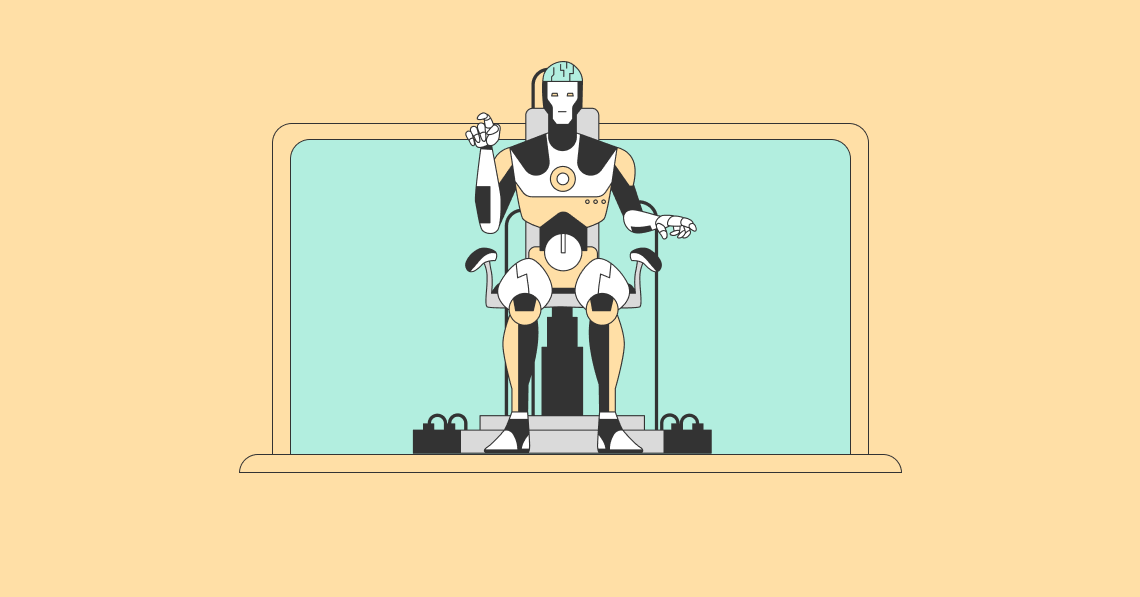
If you’re thinking of creating your very first graphic design, now is a great time to start. Not only are there various free online design tools on the market, but a lot of them also come with AI-powered features that can make designing a lot more efficient and exciting.
In this comprehensive guide, we’ll explore the best AI-powered design platforms that can help turn your ideas into compelling and professional-looking graphic designs. Whether you’re a beginner designer or a frequent AI user, we’ve compiled the top online design tools for every type of designer.
What Are the Top Graphic Design Platforms With AI Features?
From one-click resizing features to AI background remover tools, here is a simple breakdown of the best AI-powered platforms on the market:
- Adobe Express
Best for
Professional and amateur designers
Overview
Adobe Express is an online design platform perfect for both professional and amateur designers. While it features a simpler interface compared to tools like Photoshop, Adobe Express can be easily integrated with other Creative Cloud apps for advanced design needs.
Pricing plans (per month)
- Free
- Premium ($9.99)
Key AI features
- Image generator
- Text effects
- Template generator
- Object remover
- Insert objects
Pros and cons
| Pros | Cons |
| ✅Can be integrated with Adobe Creative Cloud apps | ❌Limited design templates |
| ✅Various AI features for generating dynamic content | ❌Fewer collaboration features |
| ✅Access to Adobe-exclusive Stock assets | ❌Limited social media management tools |
- Canva
Best for
Students and social media managers
Overview
Canva is a beginner-friendly online design tool with a drag-and-drop editor. Due to its simplicity, Canva is a great tool for basic design needs. Additionally, the tool also comes with basic social media management features for brand and content management.
Pricing plans (per month)
- Free
- Pro ($15)
Key AI features
- AI photo editor
- Background generator
- Image generator
- Custom mockup templates
- Text to Graphic
Pros and cons
| Pros | Cons |
| ✅Beginner-friendly and responsive interface | ❌Limited customization tools for advanced design needs |
| ✅Various templates for different design types | ❌Some templates can appear repetitive |
| ✅Can be integrated with various external tools | ❌Pricey Pro plan |
- Venngage
Best for
Content creators and teams
Overview
Vennage is an online design tool that focuses on offering features for data visualization needs. This makes the tool ideal for users in need of infographics and presentations. Venngage also comes with a simple AI assistant tool that can help with basic branding needs.
Pricing plans (per month)
- Free
- Premium ($19)
- Business ($49)
- Enterprise (Starts at $499)
Key AI features
- Infographic generator
- One-click Brand Kit tool
- Autofill templates
Pros and cons
| Pros | Cons |
| ✅Ideal for infographics, charts, and presentations | ❌Very limited free plan |
| ✅Robust Brand Kit features | ❌Less ideal for general designs |
| ✅Strong team collaboration features | ❌Fewer templates compared to other tools |
- Desygner
Best for
Entrepreneurs and e-commerce businesses
Overview
Desygner is another online design tool with a drag-and-drop editor. It offers users access to various free poster templates as well as other formats like videos and presentations. While it has fewer collaboration features, Desygner remains a good choice for those in need of strong brand management tools.
Pricing plans (per month)
- Free
- Pro+ ($9.95)
- Business ($29.95)
- Enterprise (Custom)
Key AI features
- AI-Write
- Image generator
- Design generator
Pros and cons
| Pros | Cons |
| ✅Responsive interface | ❌Limited customization tools |
| ✅Brand management tools | ❌Interface may be overwhelming for some users |
| ✅Flexible pricing options | ❌Limited collaboration tools |
- PosterMyWall
Best for
Non-designers, small businesses, marketers, etc.
Overview
PosterMyWall is an all-in-one design platform with an extensive library of 1M+ free and customizable design templates. With PosterMyWall, users also get access to a wide variety of AI-powered features for more creative and optimized designs.
Not only that, but PosterMyWall also has various built-in features for both social media management and email marketing.
Pricing plans (per month)
- Free
- Premium (9.95)
- Premium Plus ($29.95)
Key AI features
- AI background remover
- AI writer
- AI images generator
- One-click resizing tool
- Subtitle generator
Pros and cons
| Pros | Cons |
| ✅User-friendly and extensive list of AI features | ❌Limited advanced team collaboration features |
| ✅1M+ free and customizable design templates | |
| ✅Affordable and generous paid tiers |
How Can I Maximize AI Features in an Online Design Tool?
Whether you’ve already invested in your preferred online design tool or are just starting with a free trial, we’ll show you how you can best use and maximize your new companion for your various graphic design needs:
- Use creative prompts
One of the most popular and widely used AI features is a text-to-image generator. Not only is it a handy tool for generating specific image needs, but it’s also widely customizable depending on your commands.
This highlights the importance of using specific and highly descriptive prompts to maximize your AI Images tool. Additionally, you can try offering examples so the tool can better match your exact needs.
- Resize designs
Whether you’re a social media manager or running a small business, resizing your designs can help you publish your designs across a wide variety of platforms with ease. While you can do this manually, AI can do it for you with just a click of a button. This can allow you more time to work on your designs and to publish them much faster on different platforms later on.
- Remove backgrounds
If you’re a beginner graphic designer, a background remover is a simple yet powerful tool that can help take your designs to the next level by cropping out unnecessary backgrounds from images. Whether you’re designing a menu or a product announcement poster, try making use of an AI background remover tool to create more compelling and higher-quality content.
- Generate a caption
Even if your graphic design is visually striking, an audience can’t engage with it if it doesn’t reach their feed. That’s where having an optimized caption can help. But in case you’re struggling to think of one, or just don’t have the extra time, you can leverage AI to do the work for you.
Simply input your preferred content, tone, and emojis, and generate an optimized caption within seconds!
Frequently Asked Questions (FAQs)
Is it difficult to use AI tools for graphic design?
With online design platforms like PosterMyWall, AI features are now much easier to access, even for beginners. The best part? You don’t need any background or experience in graphic design to use AI tools to your advantage. Simply try out a platform of your choice and start experimenting.
Are AI-powered design tools expensive?
While some AI-powered online design tools can get pricey, there are also various affordable options like PosterMyWall. But if you’re still unsure about fully investing, you can always try out a free trial version to start with.
What AI features should beginners look for in an online design tool?
AI-powered features will vary from one tool to another, but it’s generally recommended to look for common features such as a background remover and a text-to-image generator. Your overall preferences may vary as you get used to using AI, but the most basic tools can be used for various projects and design needs.
Start Designing With AI
If you’re a beginner designer with lots of ideas that you find difficult to execute, AI-powered tools are here to help. On top of automating simple tasks like removing backgrounds from images and resizing your designs, AI can also help you come up with optimized captions to help your content stand out.
With a little time and the right AI-powered online design tool, you can create visually striking designs more creatively and efficiently. So, what are you waiting for? Start designing with AI today!
About the Author